
If your PlayStation 5 has started sounding like a jet engine, runs hot, or shuts off in the middle of a game, most people assume it just needs a good cleaning. Dust definitely doesn’t help, but in our experience at our Durham shop, the bigger problem is usually hiding under the heatsink: the liquid metal on the main chip.
The Real Culprit: Liquid Metal and GPU Hot Spots
Instead of regular thermal paste, the PS5 uses liquid metal to move heat from its main chip (the APU, where the CPU and GPU live) into the heatsink. It works very well when it’s in place. Over time, though, it can shift, spread unevenly or break down. When that happens, part of the chip loses good contact with the heatsink and a hot spot forms on the GPU side.
The result is a console that overheats even if the fan and vents look clean: loud fan, heat warnings, shutdowns, stuttering in demanding games, and in worse cases no video or a console that won’t stay on.
Where Dust Fits In
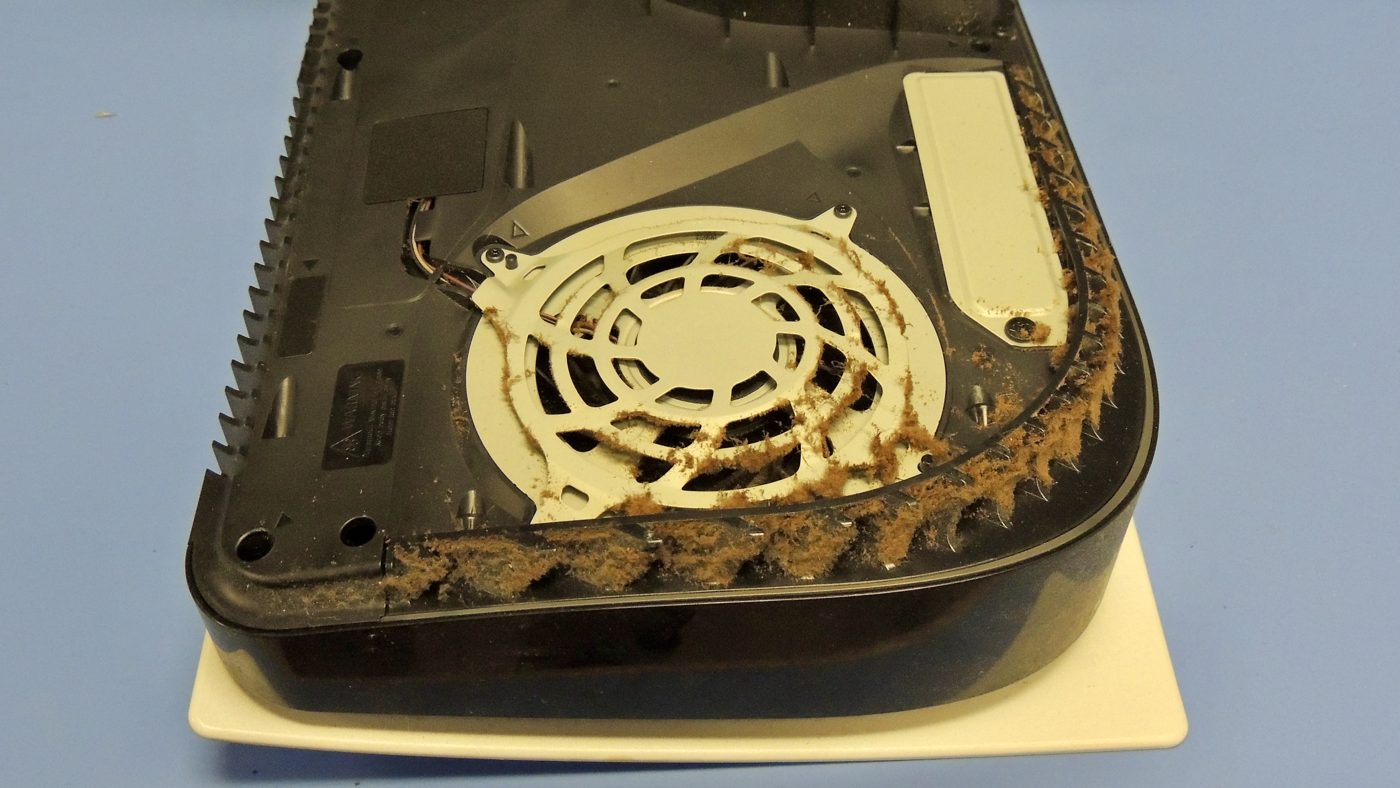
Dust makes everything worse. The photo below is from a PS5 that came into our shop: that brown, fuzzy layer around the fan and along the edge is months of dust, pet hair and lint. It blocks airflow, so the fan works harder and the whole system runs hotter.
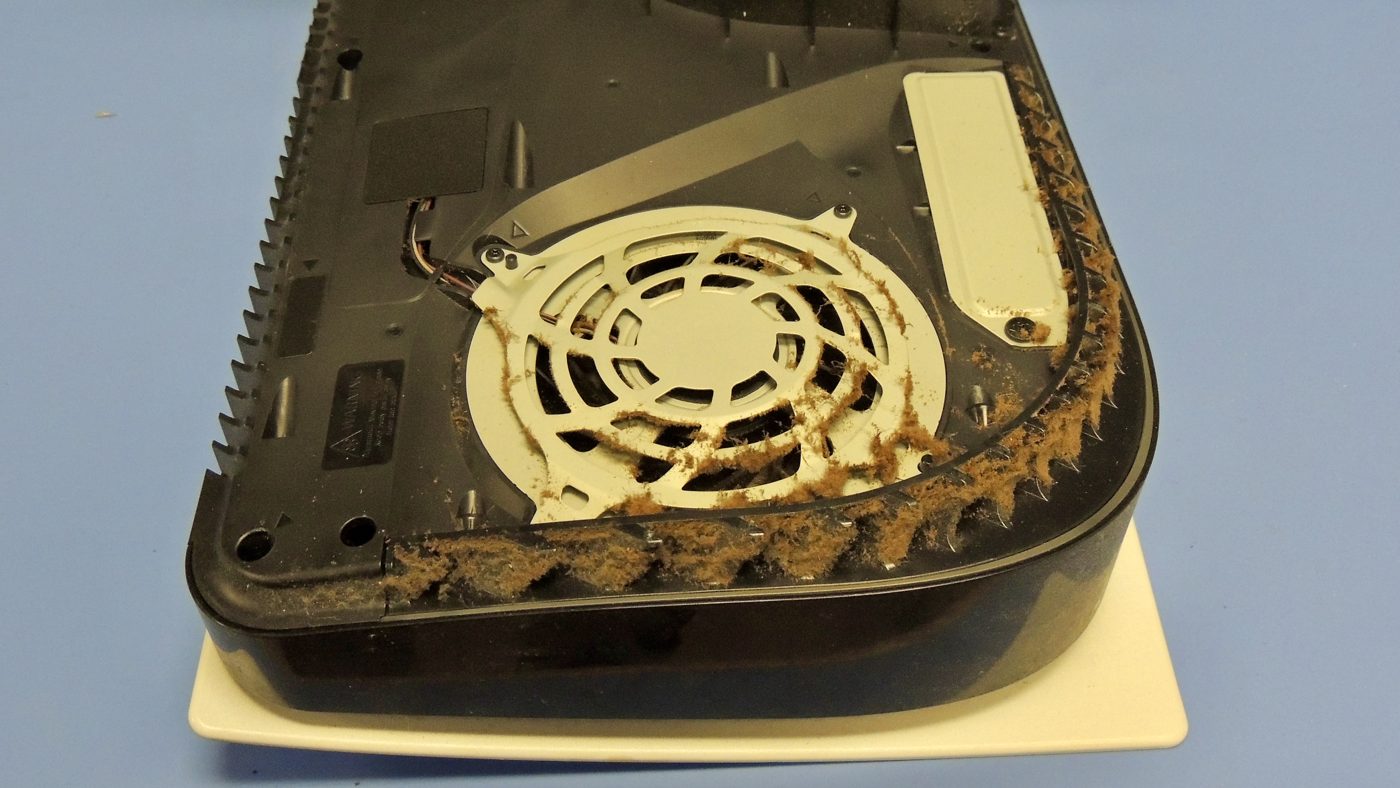
That’s why we don’t stop at blowing out the dust. A cleaned PS5 with failing liquid metal will still overheat, so we check both.
Signs Your PS5 Has a Heat Problem
- The fan is much louder than it used to be, even in menus
- You get the “Your PS5 is too hot” warning
- The console shuts off or restarts during longer gaming sessions
- Games stutter or freeze more than they used to
- The console still runs hot after you’ve cleaned the vents
Why It’s Not a DIY Job
Liquid metal is electrically conductive. If it gets onto the tiny components around the chip, it can short them out and cause serious damage. Reapplying it correctly takes the right tools, careful masking around the chip, and the right amount. This is one repair best left to a technician.
How We Fix It at Bull City Mobile Repair
Bring your PS5 to our shop at 4201 University Dr, Suite 105, Durham. We’ll check it and give you a free quote before any work is done. When the liquid metal is the problem, we open the console, clean off the old material, protect the surrounding components, reapply fresh liquid metal, clean out the fan and airflow paths, and test it under load before you pick it up. Every repair comes with our 90-day warranty.
We also handle PS5 and Xbox repair like HDMI port replacement, disc drive problems and consoles that won’t power on. See how our repair process works.
PS5 Overheating Repair Near Me in Durham, NC
Searching for PS5 repair near me or a PS5 overheating fix in Durham? Stop by Monday to Saturday, 10 AM to 6 PM, or call or text (919) 937-9703. We serve Durham, Chapel Hill, RTP and Morrisville.